Downloading the Gamezy fantasy cricket app is the first step to start playing on the platform. This comprehensive guide covers the official APK download, installation on Android, desktop emulators, Chromebook, and troubleshooting common issues.
Gamezy APK download for Android
The official Gamezy APK is the recommended way to install the app on Android devices:
**Download link**: The GAMEZY APK is available via the official Gamezy website. Tap any "Download App" button on gamezyindia.com to get the latest APK.
**APK size**: Under 20MB. The app is optimized for fast download on Indian mobile networks (3G/4G/5G).
**Android version**: Android 6.0 (API 23) and above. Most Indian Android phones from 2017 onwards support this version.
**Storage**: 50MB free space required for installation and basic use. 200MB recommended for full features including cached match data.
**Permissions**: Gamezy requires storage permission (for APK updates), network permission (for live scoring), and SMS read permission (for OTP verification).
How to install Gamezy APK on Android
The installation process is straightforward:
**Step 1: Enable Unknown Sources**. Go to Settings > Security > Install Unknown Apps. Select your browser and toggle "Allow from this source" ON. This allows APK installation from outside Google Play.
**Step 2: Download the APK**. Tap the "Download App" button on gamezyindia.com. The APK saves to your Downloads folder.
**Step 3: Locate the APK**. Open your file manager and navigate to Downloads. Tap the Gamezy APK file.
**Step 4: Install**. Android will ask if you want to install the app. Tap "Install". The installation takes 10-30 seconds.
**Step 5: Open the app**. Once installed, tap "Open" to launch Gamezy. Sign up with your mobile number to start playing.
**Step 6: Disable Unknown Sources** (optional). For security, disable "Allow from this source" after installation.
Install Gamezy on Windows or macOS via emulator
You can run the Gamezy APK on Windows or macOS using an Android emulator:
**BlueStacks (Windows + macOS)**: 1. Download BlueStacks 5 from bluestacks.com 2. Install and launch the emulator 3. Sign in with your Google account 4. Drag the Gamezy APK file into the BlueStacks window 5. Open Gamezy inside BlueStacks and sign up
**LDPlayer (Windows only)**: 1. Download LDPlayer from ldplayer.net 2. Install and start a new Android 9 instance 3. Open LDPlayer file manager and copy the Gamezy APK 4. Tap the APK in LDPlayer to install Gamezy
**NoxPlayer (Windows + macOS)**: 1. Download NoxPlayer from bignox.com 2. Install and launch 3. Drag the Gamezy APK into the NoxPlayer window 4. Sign up in Gamezy
For desktop emulator use, make sure your computer has at least 8GB RAM for smooth performance.
Install Gamezy on Chromebook
Chromebook users can install Gamezy in two ways:
**Method 1: Google Play Store**: Enable Google Play Store on your Chromebook. Search for "Gamezy" and install directly. (Note: Gamezy may not be on Play Store; use Method 2 if unavailable.)
**Method 2: APK installation**: 1. Enable Linux (Beta) on your Chromebook 2. Open the Linux terminal 3. Download the Gamezy APK from gamezyindia.com 4. Use ARC Welder or similar tool to install the APK 5. Sign up in Gamezy
For Chromebook, Gamezy works best on devices with at least 4GB RAM.
iPhone and iPad installation
Currently, Gamezy is available on Android only as a direct APK download. The iOS version is in development for late 2026.
iPhone and iPad users can still: - Access gamezyindia.com in Safari browser - Read match previews, captain picks, and fantasy strategies - Check leaderboards and contest results - Follow the Gamezy news hub for updates
For iPhone users who want to play fantasy cricket on Gamezy, use a web browser or wait for the iOS app in late 2026.
Troubleshooting Gamezy installation
Common installation issues and solutions:
**"App not installed" error**: Clear the cache of your package installer. Go to Settings > Apps > Package Installer > Storage > Clear Cache. Try installing again.
**"Parse error" or "Invalid APK"**: The APK file is corrupted. Re-download from the official Gamezy website.
**"Insufficient storage"**: Free up at least 100MB on your device.
**"Installation blocked"**: Check that you've enabled "Allow from this source" in Settings > Security.
**"App keeps crashing"**: Restart your device. If the issue persists, clear the Gamezy app data and reinstall.
**OTP not received**: Wait 60 seconds for the OTP. If still not received, tap "Resend OTP" or contact Gamezy support.
Gamezy app features
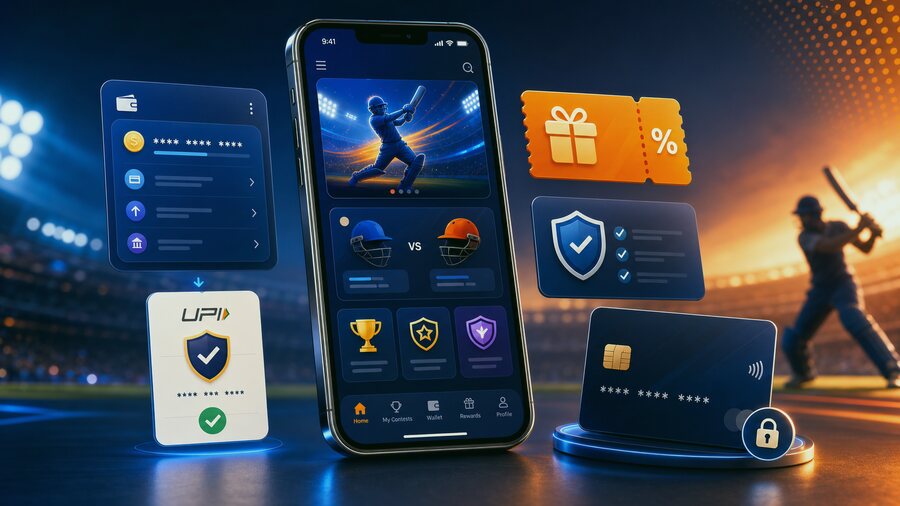
Once installed, the Gamezy app offers:
**Live fantasy scoring**: Real-time ball-by-ball fantasy point updates.
**Captain pick recommendations**: AI-powered captain suggestions based on player form and matchup.
**Pitch reports**: Live pitch reports for every match.
**Contest browser**: Browse and join Rs 1 to mega contests.
**News hub**: Latest cricket news and fantasy impact analysis.
**Withdrawal interface**: Instant UPI withdrawal, 1-2 day bank transfer.
**Multi-match tracking**: Track your teams across multiple live matches.
Frequently asked questions about Gamezy download
**Is the Gamezy APK safe?** Yes, the official APK is signed and verified by Google Play Protect.
**Can I install Gamezy on multiple devices?** Yes, but you can only have one active account per mobile number.
**How do I update Gamezy?** The app checks for updates automatically. You'll see a banner at the top of the home screen when an update is available.
**Why is Gamezy not on Google Play Store?** Google Play restricts real-money fantasy apps in some regions. Gamezy distributes the APK directly from the official website.
**Can I play Gamezy on iPhone?** Not yet. iOS version is in development for late 2026.
Conclusion
Downloading and installing the Gamezy APK is simple and works on Android, Windows, macOS, and Chromebook. Use this guide as your reference for installation, and combine it with the live news updates, pitch reports, and captain recommendations in the Gamezy app.
For more on Gamezy installation, visit /download/ on gamezyindia.com.
Gamezy app technical requirements
The Gamezy app is optimized for performance on a wide range of Android devices:
**Minimum Android version**: Android 6.0 (API 23).
**Recommended Android version**: Android 10 (API 29) or higher for the best experience.
**RAM**: 2GB minimum, 3GB or higher recommended.
**Storage**: 50MB minimum free space for installation.
**Network**: 3G, 4G, 5G, or WiFi. Live scoring requires stable internet.
**Display**: 5-inch or larger screen recommended.
**Permissions**: Storage (for APK updates), network (for live scoring), SMS (for OTP).
Gamezy app features
The Gamezy app offers:
**Live fantasy scoring**: Real-time ball-by-ball updates.
**Captain recommendations**: AI-powered captain picks based on form and matchup.
**Pitch reports**: Live pitch reports updated 2-3 hours before toss.
**Contest browser**: Browse and join Rs 1 to mega contests.
**News hub**: Latest cricket news and fantasy impact analysis.
**Player profiles**: Detailed stats and captain ratings.
**Withdrawal interface**: Instant UPI withdrawal.
**Multi-match tracking**: Track teams across multiple matches.
**Push notifications**: Breaking news, captain milestones, leaderboard updates.
Conclusion
Downloading the Gamezy APK is simple and works on Android, Windows, macOS, and Chromebook. Use this guide as your reference for installation, and combine it with the live news updates, pitch reports, and captain recommendations in the Gamezy app.
Frequently asked questions about Gamezy download
**Is the Gamezy APK safe?** Yes, the official APK is signed and verified.
**Can I install Gamezy on multiple devices?** Yes, but one account per mobile number.
**How do I update Gamezy?** The app checks for updates automatically.
**Why is Gamezy not on Google Play?** Google Play restricts real-money fantasy apps in some regions.
**Can I play Gamezy on iPhone?** Not yet. iOS version in development.
Gamezy app alternatives
If you can't download the Gamezy APK, here are some alternatives:
**Mobile browser**: Access gamezyindia.com in your mobile browser. You can browse contests, read news, and check leaderboards, but you can't join contests.
**Desktop browser**: Access gamezyindia.com in your desktop browser for the full website experience.
**Android emulator**: Run the Gamezy APK on Windows, macOS, or Linux via BlueStacks, LDPlayer, or NoxPlayer.
**Chromebook**: Enable Google Play Store on your Chromebook and install Gamezy (if available).
**Alternative app stores**: Gamezy is sometimes available on Samsung Galaxy Store, Huawei AppGallery, and other alternative Android app stores.
For the best experience, we recommend the official Android APK from gamezyindia.com.
How to keep Gamezy updated
To ensure you have the latest Gamezy features and security updates:
**Enable auto-updates**: In your device settings, enable auto-updates for Gamezy. The app will update automatically when new versions are released.
**Check for updates manually**: Open the Gamezy app and check the home screen for update banners.
**Re-download from official source**: If auto-update fails, re-download the APK from the official Gamezy website.
**Update before important tournaments**: Before IPL, T20 World Cup, or other major tournaments, check for the latest Gamezy version.
Gamezy releases updates weekly with new features, bug fixes, and security improvements.
Conclusion
Downloading and installing Gamezy is simple and works across multiple platforms. Use this guide as your reference for installation, and combine it with the live news updates, pitch reports, and captain recommendations in the Gamezy app.
Gamezy app performance tips
To get the best performance from the Gamezy app:
**Close background apps**: Free up RAM for smooth Gamezy performance.
**Clear cache regularly**: Clear Gamezy app cache once a month to free up storage.
**Update to the latest version**: New versions often include performance improvements.
**Use WiFi when possible**: WiFi provides faster, more stable connections for live scoring.
**Enable push notifications**: Get instant updates on contest results, captain pick milestones, and breaking news.
Conclusion
Downloading and installing Gamezy is simple across multiple platforms. Use this guide as your reference, and combine it with the live news updates, pitch reports, and captain recommendations in the Gamezy app.